

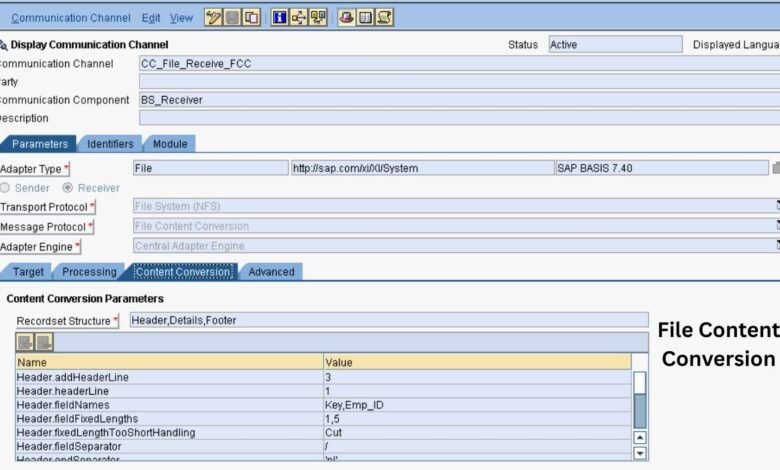
File Content Conversion has become an important part of everyday digital work because people frequently need to use documents, images, spreadsheets, audio recordings, and videos across different applications and devices. Sometimes, a file opens correctly on one computer but does not work with another program. In other situations, a document needs to be shared in a format that preserves its appearance, or a spreadsheet must be prepared for data analysis. The right conversion tool can make these tasks easier by transforming files into formats suitable for specific purposes. However, different tools offer different features, supported formats, privacy protections, and output quality. Understanding these differences helps users choose a practical solution that meets their needs without wasting time or risking important information.
2. Quick Information Table
| Data Point | Details |
|---|---|
| Main Topic | File Content Conversion |
| Primary Purpose | Changing files from one format to another |
| Document Formats | DOCX, PDF, TXT, RTF |
| Image Formats | JPG, PNG, TIFF, WebP |
| Spreadsheet Formats | XLSX, CSV, ODS |
| Audio Formats | MP3, WAV, AAC |
| Video Formats | MP4, MOV, AVI |
| Available Tools | Online services and desktop software |
| Common Users | Students, professionals, businesses, and creators |
| Main Benefits | Compatibility, accessibility, and efficiency |
| Quality Factors | Format, compression, and conversion settings |
| Security Concerns | Privacy, storage, and unauthorized access |
| Offline Support | Available in compatible desktop applications |
| Common Challenges | Formatting changes and possible quality loss |
| Selection Criteria | Features, price, usability, security, and accuracy |
3. What Is File Content Conversion?
File Content Conversion is the process of transforming a digital file into another format while attempting to preserve the information that matters. The process can involve documents, images, spreadsheets, presentations, audio, and video. For example, a DOCX document can be converted into PDF for convenient sharing, while a spreadsheet may be exported as CSV for use in another application. Image conversion can change file types, dimensions, or compression settings, whereas audio and video conversion may involve different codecs and quality settings. The results depend on how the original file stores its information and what the destination format supports. Understanding this process allows users to choose appropriate software and avoid assuming that every format can preserve all the original features.
4. Why the Right Conversion Tool Matters
Selecting an appropriate conversion tool can improve productivity and help prevent unnecessary errors. A suitable application may preserve document layouts, retain important data, process multiple files, or provide greater control over output quality. An unsuitable tool, however, might alter fonts, remove unsupported features, reduce image clarity, or produce a file that does not work as expected. These problems can be particularly frustrating when working with business reports, academic assignments, presentations, or important records. The right choice depends on the intended task rather than the number of features a product advertises. By comparing tools carefully and testing their results, users can reduce repeated work and establish a more dependable digital workflow.
5. Identify Your File Formats and Requirements
Before choosing a solution, identify the original file format, the desired output format, and the purpose of the conversion. PDF is useful when a document needs a consistent appearance across different devices, while TXT is appropriate when plain text is sufficient. CSV works well for exchanging tabular data, but it does not preserve spreadsheet formatting, multiple worksheets, or formulas in the same way as an XLSX file. Image formats also have different characteristics: JPEG commonly uses lossy compression, while PNG supports lossless compression and transparency. These differences can influence the final result. Listing your requirements before selecting software makes it easier to find a tool that supports the formats and features you actually need.
6. Compare Online and Desktop Conversion Tools
Online conversion services allow users to transform files through a web browser without necessarily installing additional software. They can be convenient for occasional tasks, especially when working across multiple devices. Nevertheless, they may have file-size restrictions, usage limits, internet requirements, or privacy considerations. Desktop applications offer another option, often providing offline processing, advanced settings, and batch conversion features. They can be more suitable for large projects or recurring professional tasks, although installation and system compatibility must be considered. Neither option is automatically best for every situation. Users should compare supported formats, ease of use, processing requirements, and security practices before deciding which type of tool fits their workflow.
7. Evaluate Features and Ease of Use
A reliable File Content Conversion tool should provide the features needed for a specific task while remaining easy to use. For example, users who convert Word documents into PDFs should look for tools that preserve page layouts, tables, fonts, and images. People working with spreadsheets may need CSV export options, while image editors may require support for formats such as JPEG, PNG, and WebP. Other useful features include batch conversion, file previews, adjustable output settings, and optical character recognition (OCR). OCR can identify text in scanned documents and make it searchable or editable, although results depend on image quality and language support. Beginners may prefer simple interfaces, while professionals may benefit from automation and advanced controls. Before choosing a tool, check whether its features meet your actual requirements.
8. Check Conversion Accuracy and Output Quality
Output quality is one of the most important factors when evaluating File Content Conversion tools. A converted document should be checked for missing text, broken tables, changed fonts, misplaced images, and unexpected page breaks. Spreadsheet conversions require particular attention to numbers, formulas, dates, and special characters because some formats cannot represent every spreadsheet feature. For images, examine sharpness, dimensions, transparency, and color appearance. For audio and video, check playback, duration, sound quality, and synchronization. Some changes are unavoidable when the destination format does not support the original features. Testing a sample file before converting an entire collection helps identify limitations early and reduces the chance of relying on an inaccurate or incomplete result.
9. Prioritize Privacy and File Security
Privacy should be a priority when converting contracts, financial statements, identification documents, business records, or other confidential material. Uploading a file to an unfamiliar online service may expose information to risks that users have not considered. Before using a service, review its privacy policy, data retention practices, deletion options, and security information. Determine whether uploaded files are stored and how long they remain available. For sensitive information, an approved desktop application or a trusted organizational solution may be more appropriate. Users should also download software from reputable sources and avoid suspicious websites that imitate legitimate services. Businesses can strengthen protection through access controls, approved tools, and clear data-handling procedures.
10. Compare Pricing and Compatibility
File conversion tools are available in free, paid, and subscription-based versions. Free options may handle basic tasks effectively, but some impose file-size limits, daily restrictions, watermarks, or reduced access to advanced features. Paid solutions may provide batch processing, technical support, automation, and specialized format compatibility. Before purchasing software, check the exact features included in the plan and whether recurring fees apply. Compatibility also matters because a tool may support one operating system or file version but not another. Users should verify system requirements and confirm that converted files work with their intended applications. For frequent conversions, consider processing limits, reliability, and overall cost instead of comparing subscription prices alone.
11. Common Conversion Problems and Their Solutions
Conversion problems can occur even when users select a generally suitable application. Documents may lose formatting because certain fonts or layout features are unsupported. Large files may fail because of upload limits, insufficient storage, or system resource restrictions. Other problems include incorrect file extensions, unsupported formats, and missing information after conversion. To address these issues, confirm the actual source format, update the software, review the settings, and test a smaller file when appropriate. If a document must retain its layout, choose a tool designed for that file type. Always keep an unchanged copy of the original and compare the converted version against it. These steps help users identify problems before they affect important work.
12. Best Practices for Choosing and Using Conversion Tools
A practical selection process begins with a clear list of requirements, including file formats, output quality, privacy needs, expected file volume, and budget. Compare suitable applications against these requirements and test them using non-sensitive sample files. Once a tool has been selected, use consistent file names and organize converted documents into clearly labeled folders. Batch conversion can save time when processing many files, but the results should still be checked for errors. Keep original files until the converted versions have been verified and stored safely. For recurring tasks, document the settings that produce reliable results. These habits make File Content Conversion easier to manage and help prevent accidental data loss or unnecessary repetition.
13. Final Thoughts
Choosing the right File Content Conversion tool requires attention to more than file extensions. Users should consider format compatibility, output accuracy, ease of use, privacy, pricing, and the features required for their specific tasks. Online services can be convenient for simple conversions, while desktop applications may better suit offline work, large files, or specialized requirements. No single solution is ideal for every document, image, spreadsheet, or media file. By defining requirements, testing conversion results, protecting sensitive information, and retaining original files, users can make the process more reliable. A thoughtful approach helps individuals and businesses manage digital content efficiently while reducing avoidable errors.
Frequently Asked Questions (FAQs)
1. What is File Content Conversion?
File Content Conversion is the process of changing a digital file from one format to another. It applies to documents, images, spreadsheets, audio, and video. The purpose is to make content compatible with a different application, device, or workflow while preserving as much relevant information and quality as possible.
2. Which conversion tool should I choose?
Choose a tool based on your file type, intended output, privacy requirements, and budget. Document users may need office software, while image and video creators may require specialized applications. Compare format support, quality, security, and ease of use before making a decision.
3. Are online conversion tools safe?
Safety depends on the service, its security measures, and its data-handling practices. Review the privacy policy, file retention rules, and deletion options before uploading documents. Avoid unfamiliar services for confidential files and consider offline software when sensitive information must remain on your device.
4. Can file conversion reduce quality?
Yes, some conversions can reduce quality or change formatting. The result depends on the original format, destination format, software, and selected settings. Repeated lossy image or audio conversions may introduce further degradation. Check important converted files before sharing or using them.
5. Can I convert multiple files together?
Yes. Many desktop applications and some online services offer batch conversion, which processes several files in one operation. Check the tool’s format support, file-size limits, and available settings. Review the output files afterward to confirm that the conversion completed correctly.