

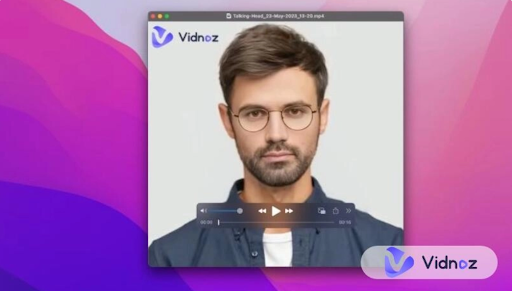
Video content has become an important part of online communication. Businesses use videos to introduce products, educators create visual lessons, and social media creators share entertaining clips with their audiences. However, traditional video production can require cameras, recording equipment, editing software, and considerable time. Artificial intelligence is changing this process by making it possible to create animated videos from ordinary photographs.
AI-powered talking photo technology is an interesting example of this development. It allows users to transform static portraits into speaking characters, opening new possibilities for personal projects, marketing, and digital storytelling.
Understanding AI Lip Synchronization
Lip synchronization is an important part of creating realistic talking videos. When someone speaks, their mouth movements naturally change according to the sounds and words they produce. Reproducing these movements manually can be complicated, particularly when working with animated characters.
A free lip sync AI tool can simplify this process by using artificial intelligence to match mouth movements with spoken audio. Users can provide a photograph and a voice recording, allowing the technology to generate an animation that follows the speech.
Depending on the platform, some tools also support text-to-speech features. This means users can enter a written script, select an available voice, and generate a talking video without recording their own audio.
This technology can be useful for beginners who want to experiment with video creation without learning professional animation techniques.
Bringing Photographs to Life With Talking Photo AI
A talking photo AI tool transforms a static portrait into a video featuring animated facial movements. Instead of recording someone speaking in front of a camera, users can start with an existing photograph.
The AI analyzes the image and generates movements that make the subject appear to speak. Depending on the available features, the result may include synchronized mouth movements and facial expressions.
There are several interesting ways to use this technology. Content creators can develop animated characters for social media, while businesses can create digital presenters for promotional videos. Educators can also experiment with talking portraits to make lessons and presentations more interactive.
For example, a teacher could use an illustrated character to introduce a particular topic. Similarly, a company might create a virtual spokesperson to explain a service or answer common customer questions.
The most suitable results generally come from clear, front-facing photographs where facial features are easy to identify.
Exploring Vidnoz for AI Video Creation
Vidnoz is an AI-powered platform that offers tools for creating and transforming digital content. It provides users with opportunities to explore different video creation features without depending entirely on traditional recording and editing workflows.
For people interested in talking portraits, Vidnoz offers an accessible way to experiment with AI-generated video content. Users can explore available features, provide suitable visual material, and follow the platform’s creation process.
One advantage of this approach is that it reduces the need for manually creating every animation. Instead of adjusting individual frames, users can allow AI technology to handle much of the generation process.
This can be particularly helpful for people who regularly produce digital content but have limited experience with professional video editing software.
Practical Uses for Content Creators
Talking videos can be useful across several digital platforms. Social media creators can use animated portraits to produce short informational clips, entertaining videos, and character-based stories.
Businesses can explore virtual presenters for product introductions, advertisements, and customer information. Rather than arranging a new recording session for every update, they can experiment with AI-generated presentations.
The technology can also support educational projects. An animated character can introduce a lesson, explain a difficult concept, or provide additional context in a presentation.
Another interesting possibility is multilingual communication. Depending on the available voice and language features, creators may be able to adapt their presentations for audiences who speak different languages.
Tips for Creating Better Talking Videos
Although AI tools make animation easier, the quality of the final video still depends on the materials provided.
Start with a high-resolution photograph that clearly shows the person’s face. Images with heavy shadows, unusual angles, or facial obstructions may produce less consistent results.
If you are uploading an audio recording, make sure the voice is clear and background noise is minimal. Natural speech and a well-written script can also improve the overall presentation.
Before publishing, watch the complete video and check whether the mouth movements match the audio. AI-generated animations can sometimes contain unusual expressions or synchronization issues.
It is also important to respect privacy. Always obtain appropriate permission before using another person’s photograph or voice to create an animated video.
Final Thoughts
AI-powered video creation is making it easier to transform ordinary photographs into engaging digital content. Lip synchronization helps animated characters appear to speak, while talking-photo technology provides new ways to create presentations, educational videos, and social media material.
A free lip sync AI tool can be a convenient starting point for beginners who want to explore this technology. Meanwhile, Vidnoz provides an opportunity to experiment with AI-assisted content creation and discover new ways to bring static images to life. With suitable photographs, clear audio, and creative ideas, users can develop engaging talking videos without relying entirely on traditional production methods.