

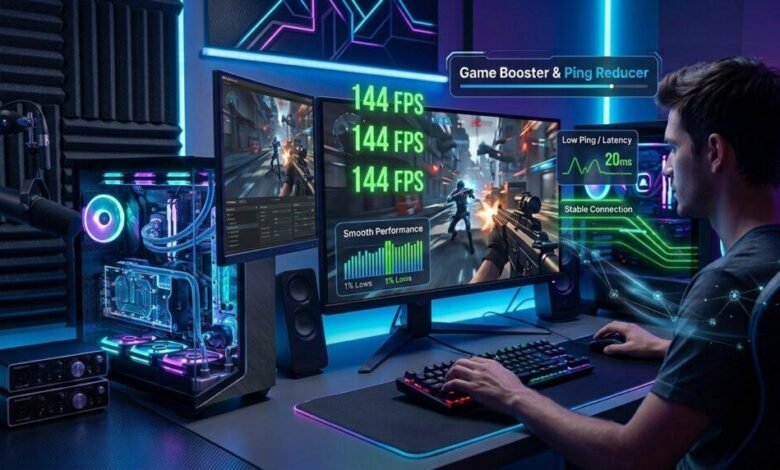
Smooth gameplay is important for every PC gamer, whether playing competitive shooting games, racing titles, or online multiplayer adventures. However, low frame rates, unnecessary background processes, and demanding system requirements can sometimes affect the gaming experience. Even a capable computer may struggle to deliver consistent performance when multiple applications consume system resources.
Smart Game Booster is designed to help gamers address these challenges through a collection of PC optimization tools. By combining game boosting, FPS optimization, hardware monitoring, and additional gaming utilities, it provides a convenient way to manage system performance from one application.
What Is Smart Game Booster?
Smart Game Booster is a Windows-based gaming optimization program developed to help users improve their PC gaming experience. Rather than manually adjusting different system settings, gamers can access several useful performance tools through a single interface.
The software focuses on optimizing system resources, managing background activities, and providing features that support smoother gameplay. It also includes additional utilities such as driver management, hardware monitoring, and game recording.
Whether you have a gaming laptop or a desktop computer, Smart Game Booster offers options for managing performance according to your hardware and gaming requirements. It can be particularly useful for players who want to optimize their existing systems before considering expensive hardware upgrades.
Improve Gameplay with a Game Booster
A Game Booster helps prepare your computer for gaming by reducing unnecessary resource consumption and managing background activities. When several applications run simultaneously, they can compete with games for CPU power, memory, and other system resources.
Smart Game Booster provides optimization features that help reduce this unnecessary workload. Its boosting functions can close selected background processes, clean junk files, and adjust certain system settings to prioritize gaming performance.
This approach can be helpful when playing demanding games that require considerable system resources. Instead of manually closing applications and checking multiple settings before every gaming session, users can access optimization options through the program.
Another advantage is convenience. Having different performance-related tools in one place makes it easier to maintain a gaming-ready environment. However, the results depend on the computer’s hardware, running applications, and the requirements of individual games.
Get Smoother Gameplay with an FPS Booster
Frames per second, commonly known as FPS, determine how many frames your computer displays every second. A higher and more stable frame rate generally makes gameplay look smoother and improves the overall visual experience.
Smart Game Booster includes an FPS Booster designed to help optimize PC resources and improve gaming performance. By reducing unnecessary background activity and offering system optimization options, it can help address some common causes of low FPS.
The software also provides a Super Boost feature that supports overclocking compatible graphics hardware and video memory. This can potentially deliver additional performance in certain situations, although the results vary depending on the graphics card and system configuration.
For gamers experiencing sudden frame drops or inconsistent performance, these features offer a convenient starting point for optimization. Users can also monitor hardware temperatures and FPS to better understand how their computers perform during demanding gaming sessions.
It is important to remember that an FPS Booster cannot overcome every hardware limitation. If a game requires more processing power than your computer can provide, adjusting in-game graphics settings or upgrading hardware may still be necessary.
Additional Features That Support PC Gaming
Smart Game Booster offers several additional features beyond its core Game Booster and FPS Booster functions.
Its hardware monitoring tools allow users to check important performance information, including frame rates and component temperatures. This can help identify potential overheating issues that may affect gaming performance.
The program also includes driver management functionality, helping users check for available graphics and audio driver updates. Keeping compatible drivers updated can improve game stability and resolve certain compatibility problems.
For gamers who enjoy sharing their achievements, the built-in recording feature provides an option to capture gameplay. The software also offers a Can I Run It feature that helps users check whether their computers meet the minimum and recommended requirements for particular games.
These additional tools make the application useful for players who want more than a simple performance optimization utility. Smart Game Booster offers a free version for gamers to test the boosting effect, and it is lightweight without extra bundled software.
How to Get Started with Smart Game Booster
Getting started is simple. Visit the official Smart Game Booster website, download the software, and install it on your Windows computer.
Once installed, open the application and explore its available optimization features. Select your preferred game, review the suggested performance settings, and enable the relevant boosting options. You can then launch your game and monitor FPS and hardware temperatures to evaluate the results.
For better performance, consider closing applications you do not need, keeping your drivers updated, and selecting graphics settings that match your hardware capabilities.
Final Thoughts
Smart Game Booster brings several useful PC gaming utilities together in one convenient application. Its Game Booster helps manage system resources, while its FPS Booster focuses on improving gaming performance and frame-rate consistency.
With additional features such as hardware monitoring, driver management, and gameplay recording, it offers a practical solution for gamers looking to optimize their existing computers.
If you want to explore its features, visit the official Smart Game Booster website to learn more and download the program. It can be a useful addition to your gaming setup when combined with appropriate system settings and realistic performance expectations.If you are looking for a reliable game booster and FPS booster for your Windows PC, try Smart Game Booster for free.